Monday, April 19, 2021

Teacher Feedback, Collaborative Assignments, and Google Fonts – Week 32

CN Area Elementary Teaching Team:

Week 32 (April 19 - 23)


Weekly Giggles:               I was just reminiscing about the beautiful herb garden I had when I was a child.
                                             Good thymes!


Previous emails can be found on the blog: LINK HERE. Content from the last four years can be found there (pedagogy, teaching strategies, tech support, lesson tools). Use the Search this Blog tool on the right side to search for keywords.


Zoom Updates. About every 6-10 days Zoom has new updates. Zoom will not prompt you to update. Feel free to USE THIS VIDEO to check out how to update that software. And, feel free to update every Friday (or any day of the week). Make sure you have access to the best Zoom experience possible.


Revolutionize Teacher Feedback. Are you apprehensive to share valuable feedback with students because it takes too much time? Wouldn’t it be great to type four letters to make 4 sentences appear? That magic wand is here. Prokeys makes that possible. HERE it is in action. Watch how she can save hours on the feedback process each week. Yes, each week. VIDEO LINK

Did this rock your world? Tell someone in your grade level. Share the love.

Image capture from video tutorial.

Collaborative Google Projects
. Are you apprehensive to have students work together on one project? Do you feel like eating up that many minutes on the scaffolding to achieve that end goal is impossible? Have no fear. A better solution is here!!

In Google Classroom, you can set that up. Repeat the same assignment, but only for 3-5 kids at a time. You determine who is in each collaborative task. Give that task to just those students. Now, you don’t have to spend valuable teaching minutes explaining how to share those files. You did that before they even arrived.

Here’s how to make that happen: VIDEO LINK.


Google Fonts. If you are like me and you care about fonts (newsletter, website, parent communication, school-wide communication, yearbook, sports, etc.), then this may be a tool you will appreciate. There are more fonts than you thought were possible in Google. And, you can find them here: VIDEO LINK. In addition to that, Google has a great tool that helps you pair fonts well. What two fonts work well together? Test that out. Save time.


Head to fonts.google.com to locate great fonts or pairings.


Questions. Reach out with questions, please. I can am here to support you as you provide rich instruction to your students. I can either make a video for you or a video for them. Invite me into your classroom; I can teach that lesson for you or with you. Maybe I have a few extra strategies to enrich what you are already doing. Or, hey! I can even learn from you.

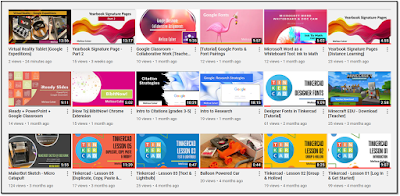
YouTube. A few new videos hit YouTube recently. Head here to find that content.

Kindly,
Melissa Culver

Tuesday, March 16, 2021

Ink to Math, Whiteboard.chat, Picture in Picture, and Professional Development – Week 28

CN Area Elementary Teaching Team:

Week 28 (March 15 - 19)


Weekly Giggles:               Why did the teacher wear sunglasses in class?
                                             The students were so bright.

Ink to Math. Microsoft Word has this dandy tool that will convert your handwritten markings to mathematical equations easily. If this fits your learners well, feel free to use this in your Math instruction. Check out THIS VIDEO to see this in action.

Picture in Picture. In a previous post, I shared with you how you can utilize the picture-in-picture feature. Well, it’s even easier. Simply right-click on any YouTube video twice. You will then see this white menu. From this menu, select Picture in picture. Bam! The video will show up in a smaller form right there on your screen. Drag it where you wish. Resize it as you please. In Zoom: show the how-to video and the final product at the same time in Math. Show the before, during, and after in the science lab along with the live notes. Reading a narrative? Have that ambiance in the background while you read the text to the children. They see your face and the video at the same time.

Place the video anywhere on the screen at a size that works for you (See ocean image below.).

Whiteboard.chat. Do you want to see live math notes in class from your students in real time? There are a few online options for this. Pear Deck is really lovely. But, whiteboard.chat may work for you as well. Not only can you share your ideas live, you can also showcase student work to the entire group. And, you can see what students are doing on their “whiteboards.” I recommend this for touchscreen devices, but students can still use this if their device does not have a touchscreen.  Feedback drives instruction. In my opinion, is a good feedback tool.

Scan all boards for participation and comprehension:

You are notified when a child raises a hand.

You can scoot over to a child’s digital whiteboard and provide immediate feedback:

Image captures from whiteboard.chat.

Professional Development. Here are the trainings you have been waiting for. Please email me if you would like a topic added to the list of future presentations. We want to make sure that you have access to current tools that help you in your craft of reaching students. VIDEO LINK

       Adobe Spark
       EdPuzzle
       Keys to Successful Grant Writing
      
TeacherMade – Intro to Creating Interactive PDFs
       The complete list can be found HERE.

Kindly,
Melissa Culver